Know what's safe to spend.
A private budget app for Windows and Android. It writes down your spending for you, plans every paycheck, and gives you one honest number for today. No bank login, no account, nobody watching.
Money apps wanted our bank passwords.
Most budget apps need your bank login, keep your finances on their servers and charge a subscription to see your own numbers. Connections break, prices rise, and your data travels.
Penny takes the opposite path. Your spending comes from your bank's own alerts, your receipts, plain words and statement files, and everything stays encrypted on your device. Nothing to break, nothing to leak.
And instead of a wall of charts, Penny answers the question that matters each morning: how much can I spend today without missing a bill?
No more typing every coffee.
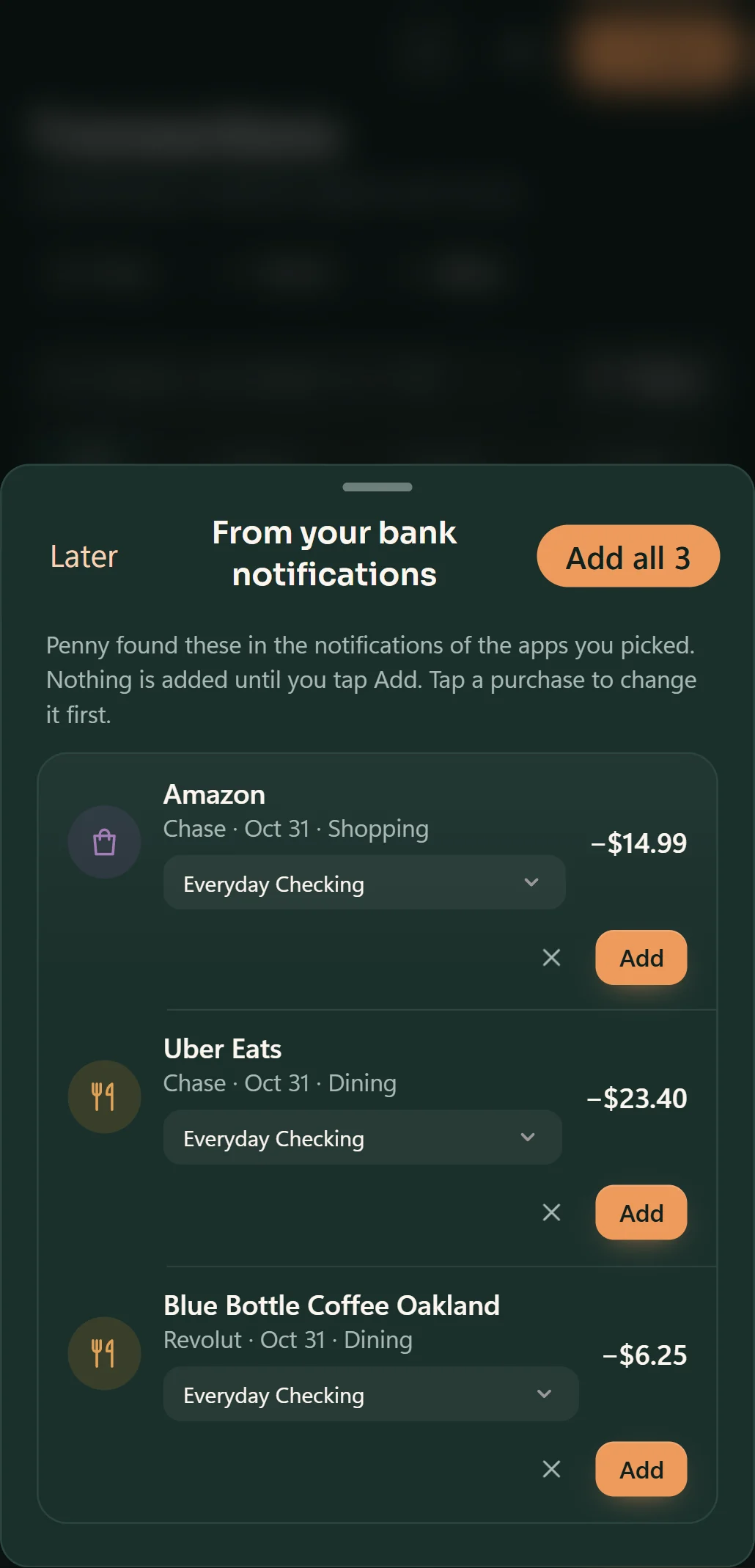
- On Android, Penny reads your bank apps' purchase alerts on the phone and waits for your tap. Optional, and off until you turn it on.
- Snap a receipt and Penny fills in the total, the shop and the date.
- Type it the way you'd say it: "lunch 12.80 at Chipotle yesterday".
- Import the statement files your bank offers: CSV, OFX or QFX.
One honest number for today.
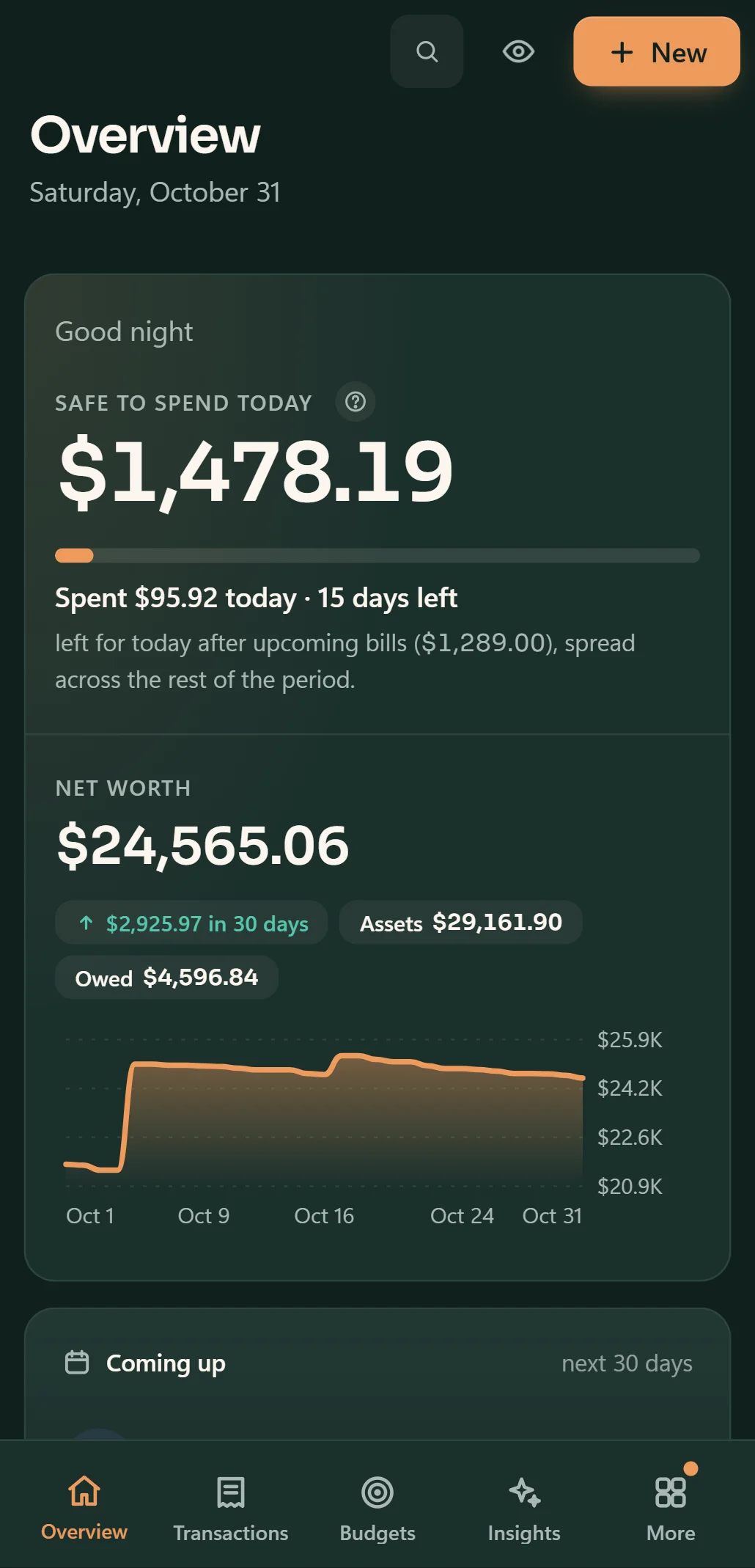
- Safe to spend: what's left per day after every bill, card payment and set-aside until payday.
- A payday plan that splits each paycheck between bills, goals, a cushion and everyday money.
- A cash-flow calendar that marks the tight days before you reach them.
- When you'll run short, a calm step-by-step plan instead of a red number.
Insights that explain, not just chart.
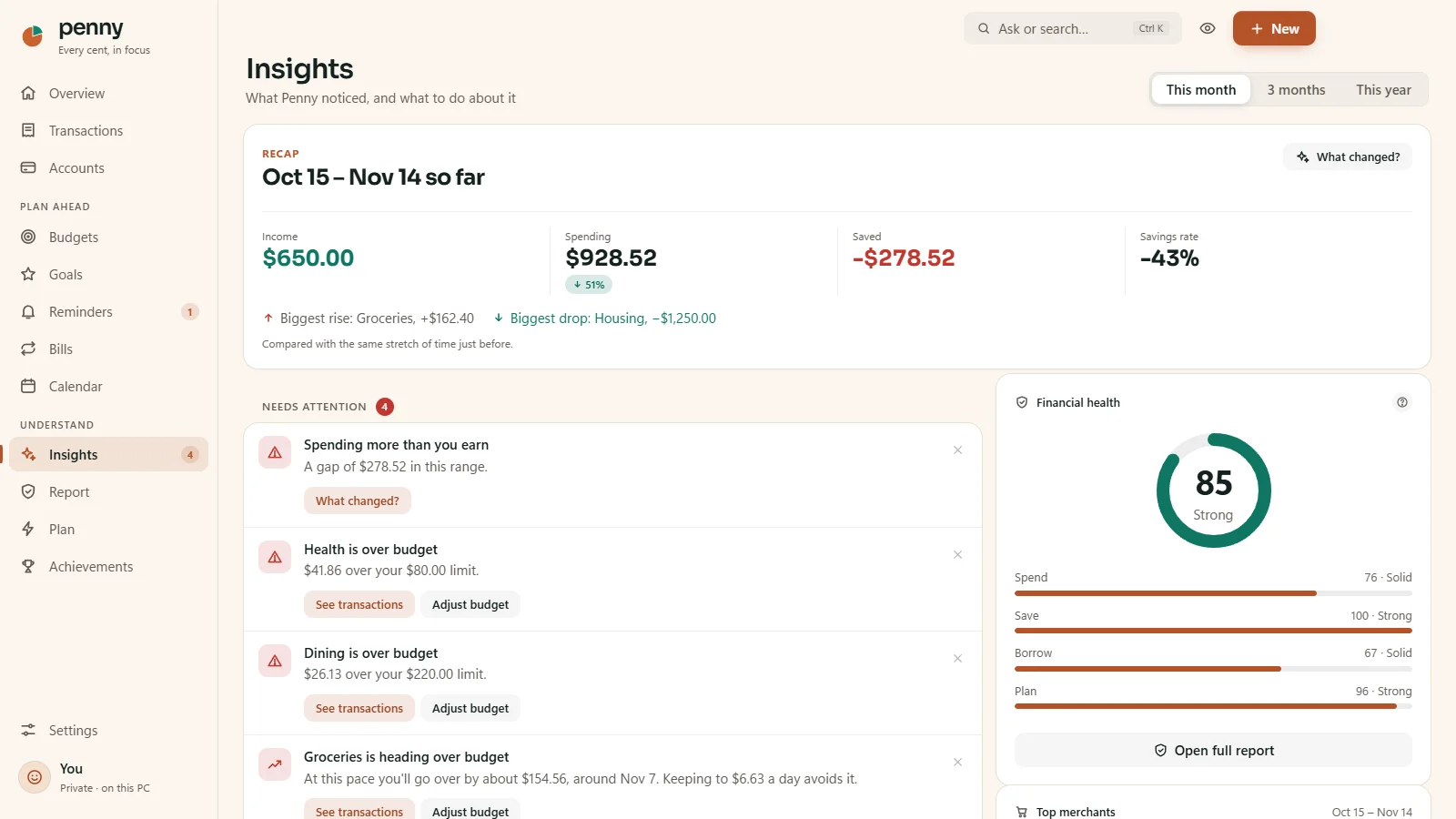
- Findings ranked by the money at stake: price rises, double charges, fees and habits that add up.
- Subscription watch, with a heads-up before free trials start charging.
- A monthly checkup and a financial health score you can check against published research.
- Ask Penny in plain words: "How much did I spend on dining last month?"
Your money is nobody else's business.
Encrypted on your device
AES-256, tied to your device's own secure storage. Add a passcode and a recovery key for a second lock.
No account, no servers
Penny has no servers and no analytics. Nothing about your money ever leaves your device.
Always yours
Verified backups every day, and export to Excel any time. No subscription to see your own data.
Good to know.
Is Penny free?
Yes. Penny is free to download and use, with no ads and no account. You never need a subscription to see your own data.
How does Penny get my transactions without a bank login?
Four private ways: your bank apps' purchase alerts (Android, optional), receipt photos, typing in plain words, and the statement files your bank's website offers. Nothing is sent anywhere.
Which devices does it run on?
Windows 10 and 11 from the Microsoft Store, and Android 7 or later. The Android app is in a closed test on Google Play right now: join the test.
Can I bring my history from another app?
Yes. Penny reads Mint, YNAB and Monarch exports, plus bank statements in CSV, OFX and QFX.
Where can I get help?
Penny's own site has help and FAQ, or write to [email protected].